Electric Steer Trolling Motor Stabilizer Mount Support for Garmin Minn Kota | Compatible with Minn Kota Bow-Mount Motors, Low-Profile Base, Shock and Bounce Reduction, Includes Two Support Rod Sizes
by Bzcovac
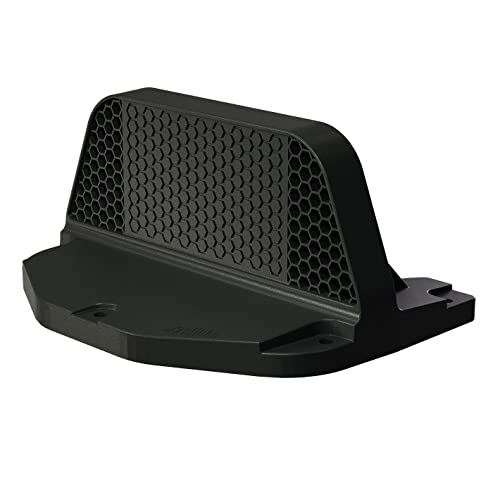
The Bzcovac trolling motor stabilizer is an aftermarket support arm that holds a bow-mount electric-steer trolling motor steady while the boat is on the trailer, cutting down on bouncing and shifting over rough roads. The arm is segmented, so it can be trimmed and adjusted to suit different bow layouts, and it pivots to fold down when not needed. The mounting base is low-profile and the arm removes easily, leaving a tidy deck. It ships with stainless steel hardware, installation diagrams, and two support rod sizes. The seller lists fit for many Minn Kota PowerDrive, Terrova, and Ulterra generations, plus Garmin Force Kraken and MotorGuide Xi5, Xi3, and Tour Pro motors.
Who it's for: Anglers who trailer a boat with a bow-mount electric-steer trolling motor and want to keep it from bouncing and wearing on the mount during transport.
Pros
- Wide listed compatibility across Minn Kota, Garmin, and MotorGuide bow-mount motors
- Segmented arm can be trimmed for a custom fit
- Arm folds down or comes off, leaving only a low-profile base
- Stainless steel hardware and installation diagrams included
Cons
- Fitting it may require trimming and adjusting rather than a simple bolt-on install
- Installation involves mounting a permanent base on the boat
- Third-party part, so fit details depend on the seller's compatibility claims rather than the motor makers
Check before buying
- Confirm your exact trolling motor model and model year against the seller's compatibility list, since Minn Kota fit is broken out by generation.
- Look at your bow deck layout to make sure there is room for the base and the arm's fold-down path.
- Be ready to cut and adjust the segmented arm for a proper fit on your boat.
- Check which of the two included rod sizes suits your motor shaft and mount height.
- Make sure you are comfortable drilling into the deck to install the mounting hardware.